

Junction Flag
EasyEDA Pro provides the "Junction Flag" feature. This feature is intended to simplify drawing crossing wires and improve design efficiency.
Place a junction where wires cross in the schematic to change the crossing wires from a non-connected state to a connected state, without adjusting the wire connections manually.
Feature Entry
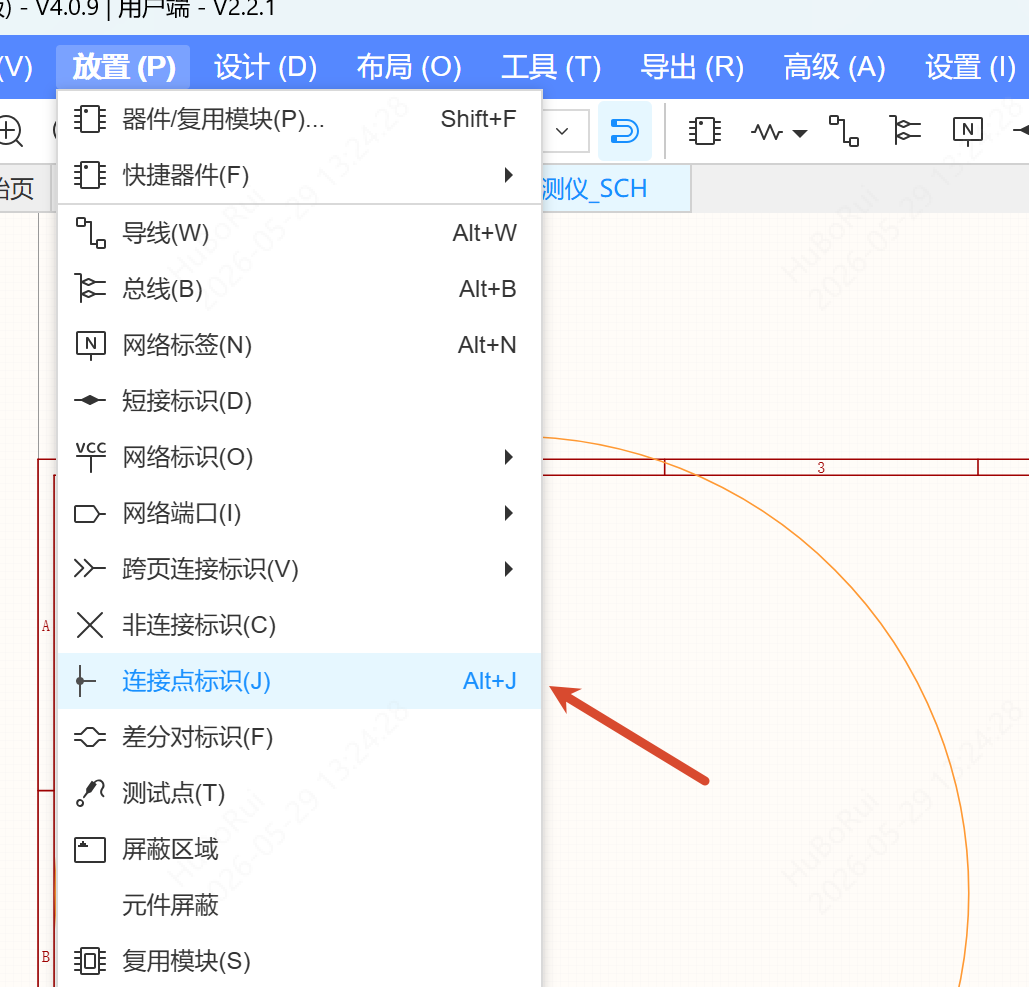
- Top menu bar: choose Place - Junction Flag (shortcut
Alt+J, which can be changed in the system shortcut list)
Steps
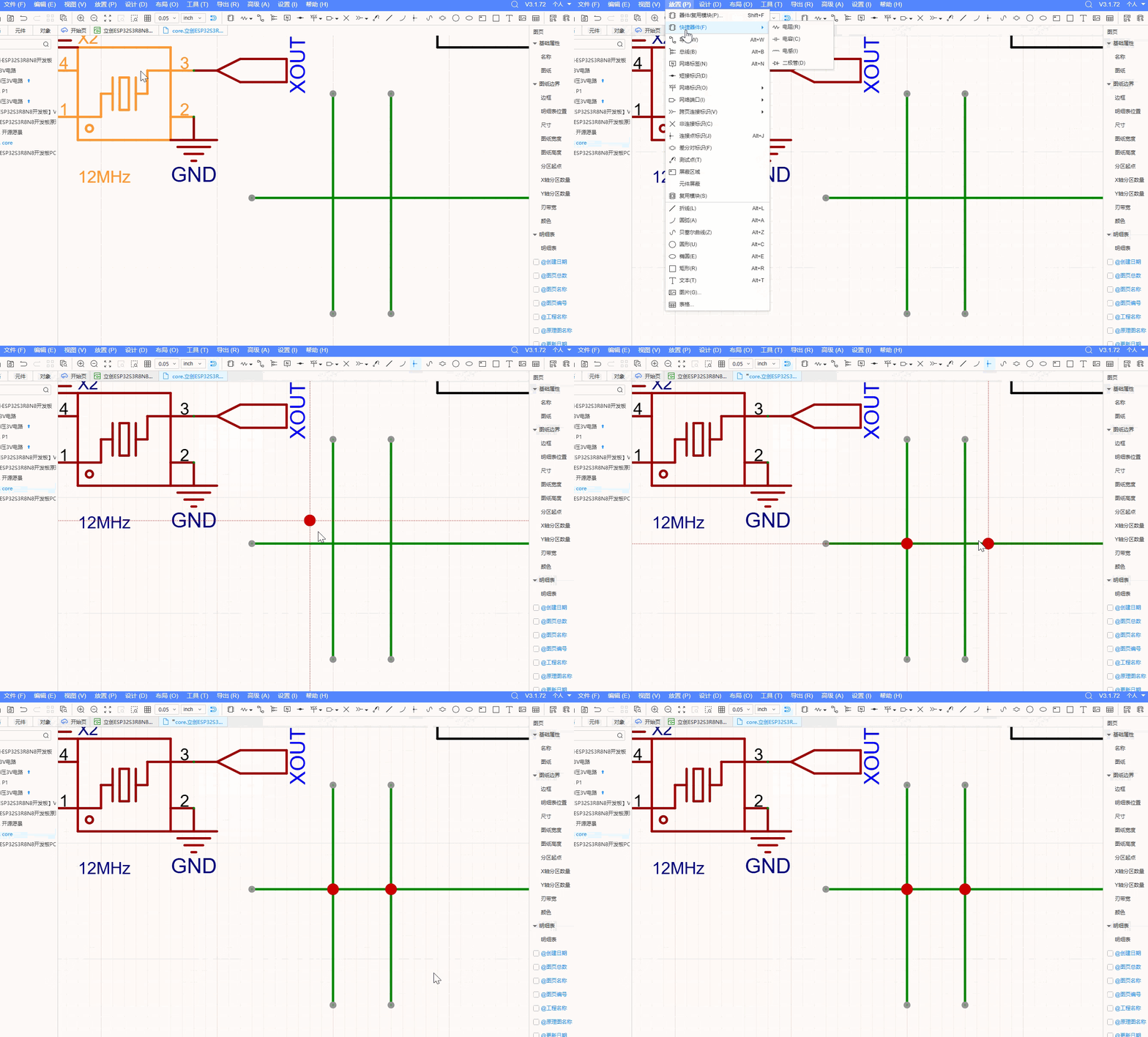
- Place a junction through the menu, the toolbar, or
Alt+J - The cursor shows crosshair guide lines and the junction primitive; move it to where the wires cross
- When the junction is close to the crossing point it snaps automatically; click to finish placing
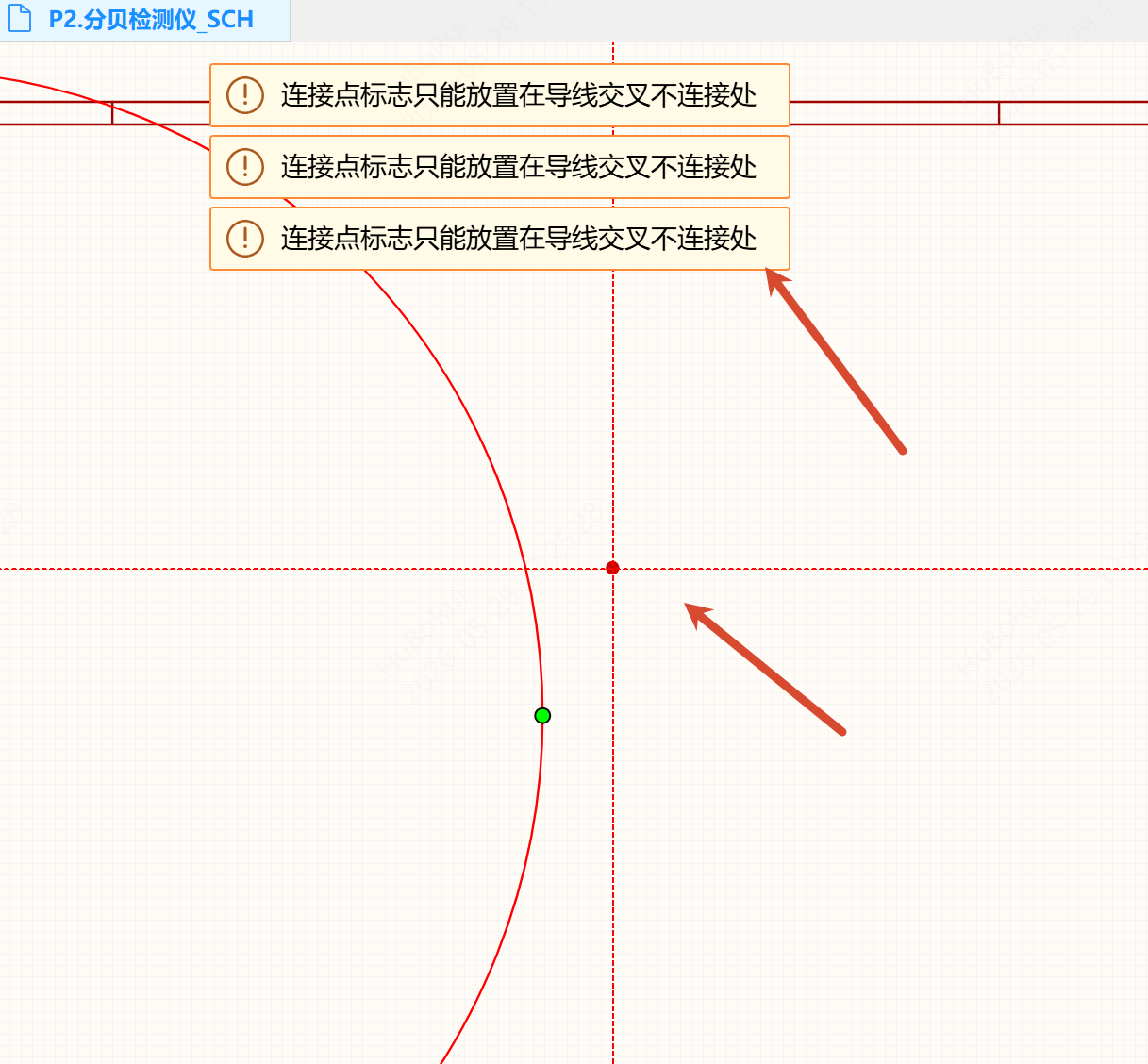
A junction can only be placed where wires cross without being connected. If you place it anywhere else, the message "Junction flag only can be placed where wires cross non-junctions" is shown in the center.
After placement, the wires change from a non-connected state to a cross-connected state, and crossings that are already connected stay unchanged. Once placed, a junction behaves the same as an existing wire node: it cannot be selected on its own, and it is not shown in the tree on the left.
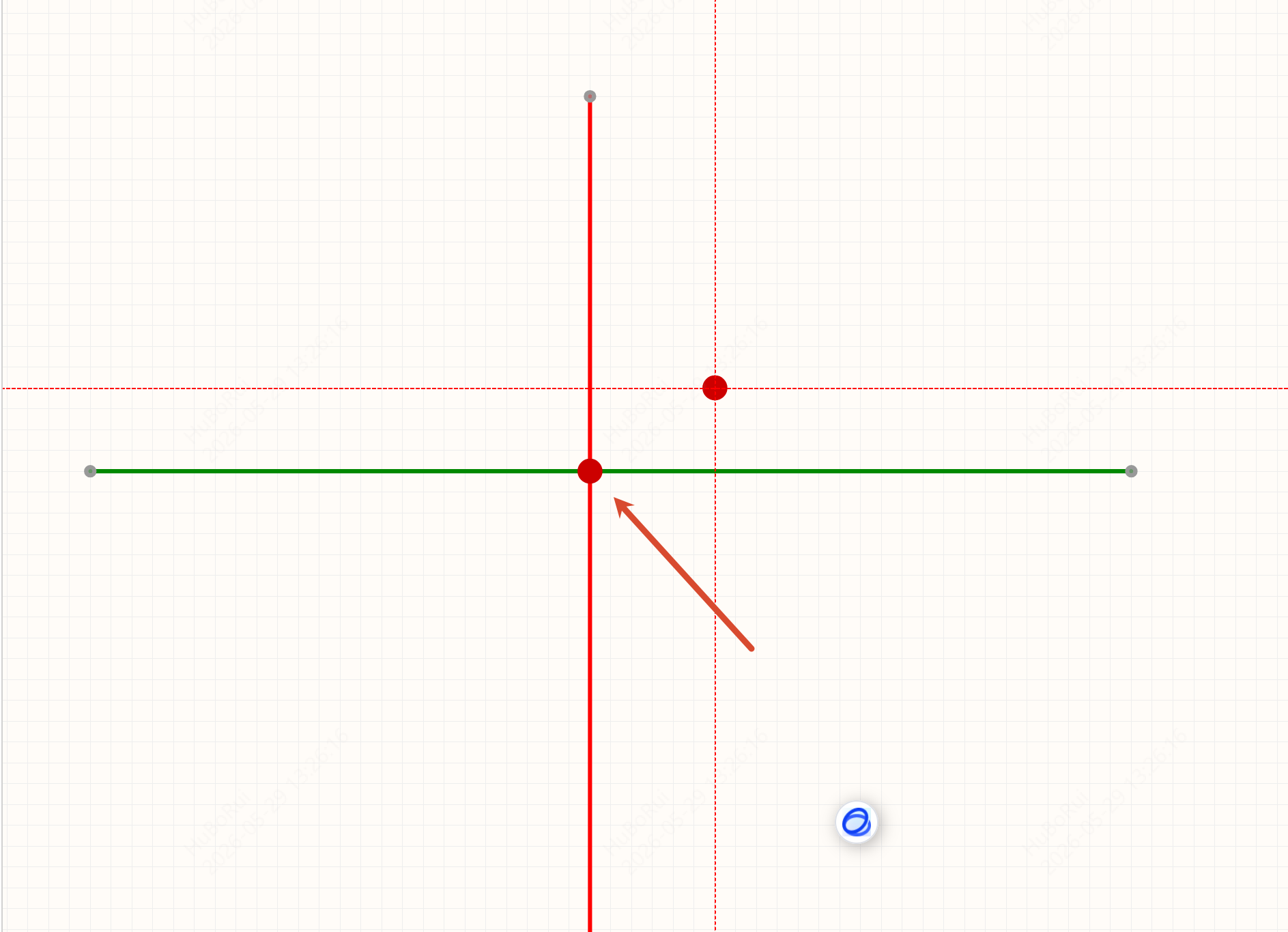
Double-click Quick Placement
Tip: double-click within a radius of 0.02 inch around a wire crossing to generate a junction automatically.