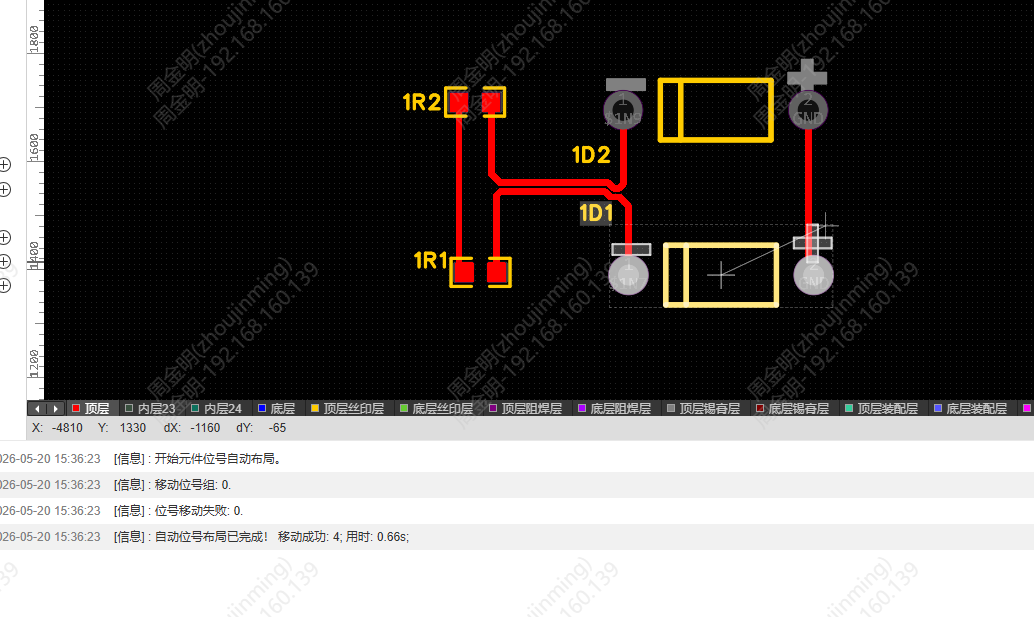
Auto Designator Placement
Automatically place the component designator silkscreen in the PCB, with customizable avoidance distance, preferred direction and congestion handling.
Entry
Top Menu - Layout - Auto Designator Placement (below Auto Component Placement)
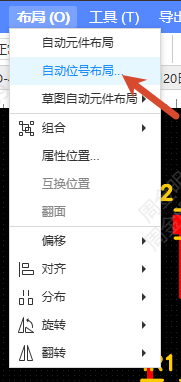
Steps
- Click Auto Designator Placement to open the settings dialog
- Set the following parameters:
- Range: All components or Only selected components
- Main Direction: the preferred placement direction; 0°/90°/180°/270°/Follow Component can be selected
- Avoidance Distance: 6mil by default; 0~100mil can be entered
- Avoidance Via: checked by default
- Avoidance Track: unchecked by default
- Silkscreen Congestion Handling: Original Position / Outside Board Outline / Component Center
- Enable Silkscreen Group Relocation: checked by default
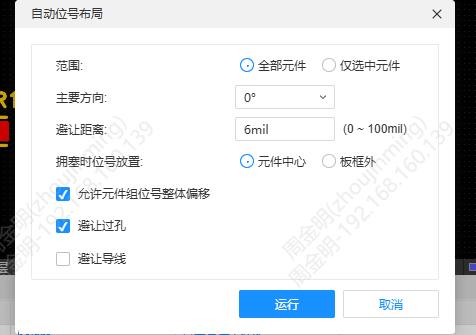
- Click Confirm to start the automatic placement; the log outputs information about the placement process, including the designator groups that were moved successfully and the list of designators that failed
- Designators that failed to be placed are put in the specified position according to the congestion setting; click a failed designator in the log to jump to and locate it