

Import Pick and Place File
Import a file containing component position information (XLSX/CSV/TXT), and the components are placed automatically according to the position parameters in the file.
Entry
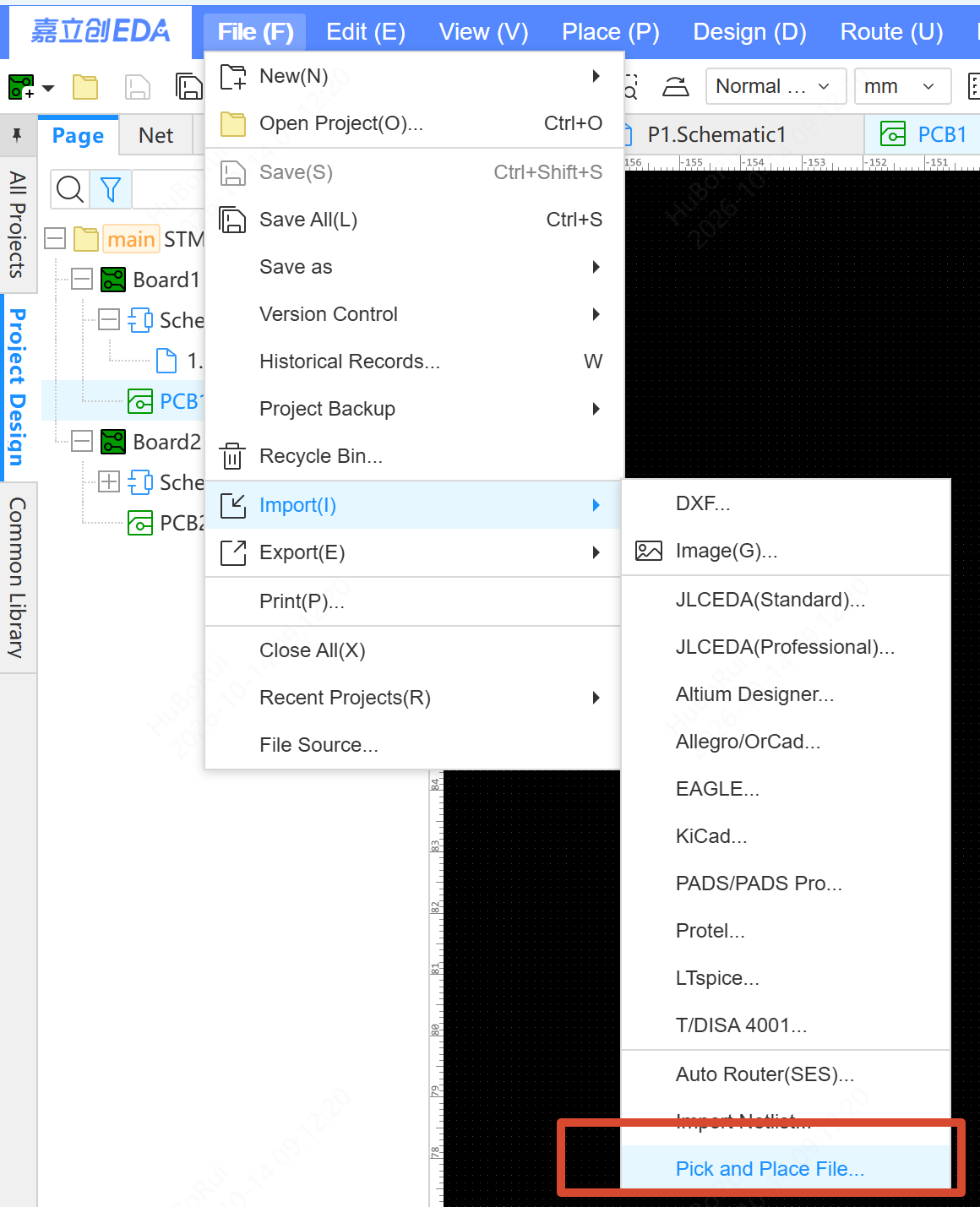
Top Menu - File - Import - Pick and Place File (below Import Netlist)
Steps
- Click Pick and Place File and select an XLSX, CSV or TXT file
- The system parses the table content, identifies the target components by Designator, and positions them using the Mid X, Mid Y, Layer and Rotation fields
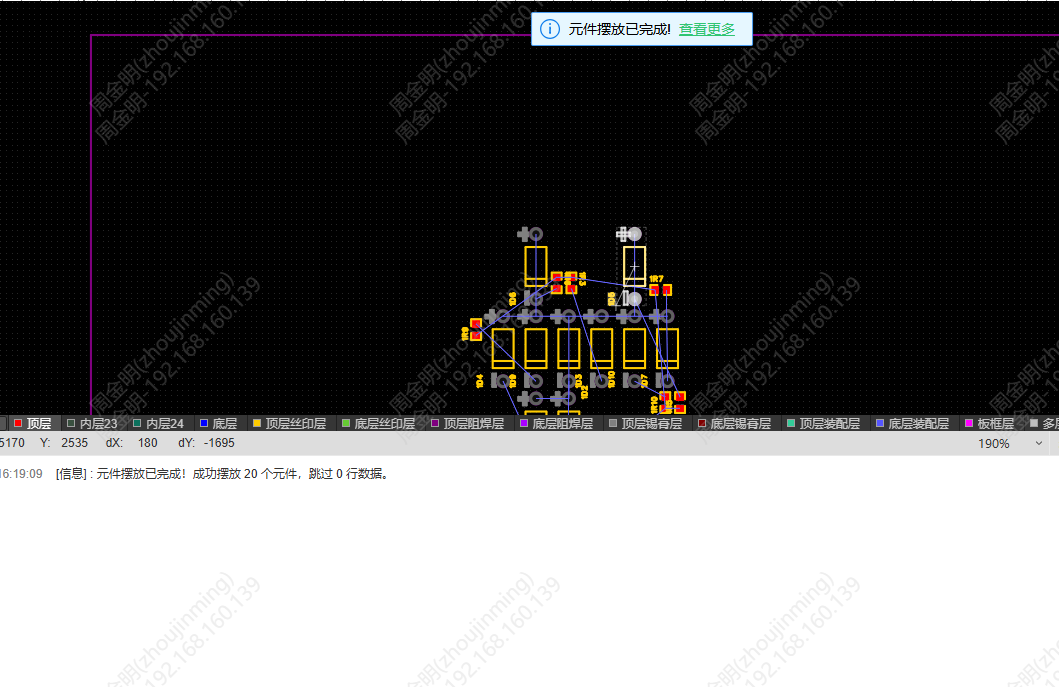
- When placement is finished, the result is output in the log
Field Compatibility
Header Mapping
The headers of pick and place files from the following EDA tools are recognized automatically: EasyEDA Pro/Standard, Altium Designer, KiCad, PADS and Allegro.
Only Mid X and Mid Y are required for placement (Layer defaults to Top Layer, Rotation defaults to 0).
Unit and Format
Coordinate values are compatible with both mm and mil, and both unit-in-header and unit-in-table are supported. Non-coordinate information above the table is filtered out automatically.
Alerts
- Missing designator or no matching component: warn and skip
- Non-standard coordinate field: warn and list the abnormal designators
- Missing required header: error "The following required field columns may be missing: Designator, Coordinate X or Coordinate Y"