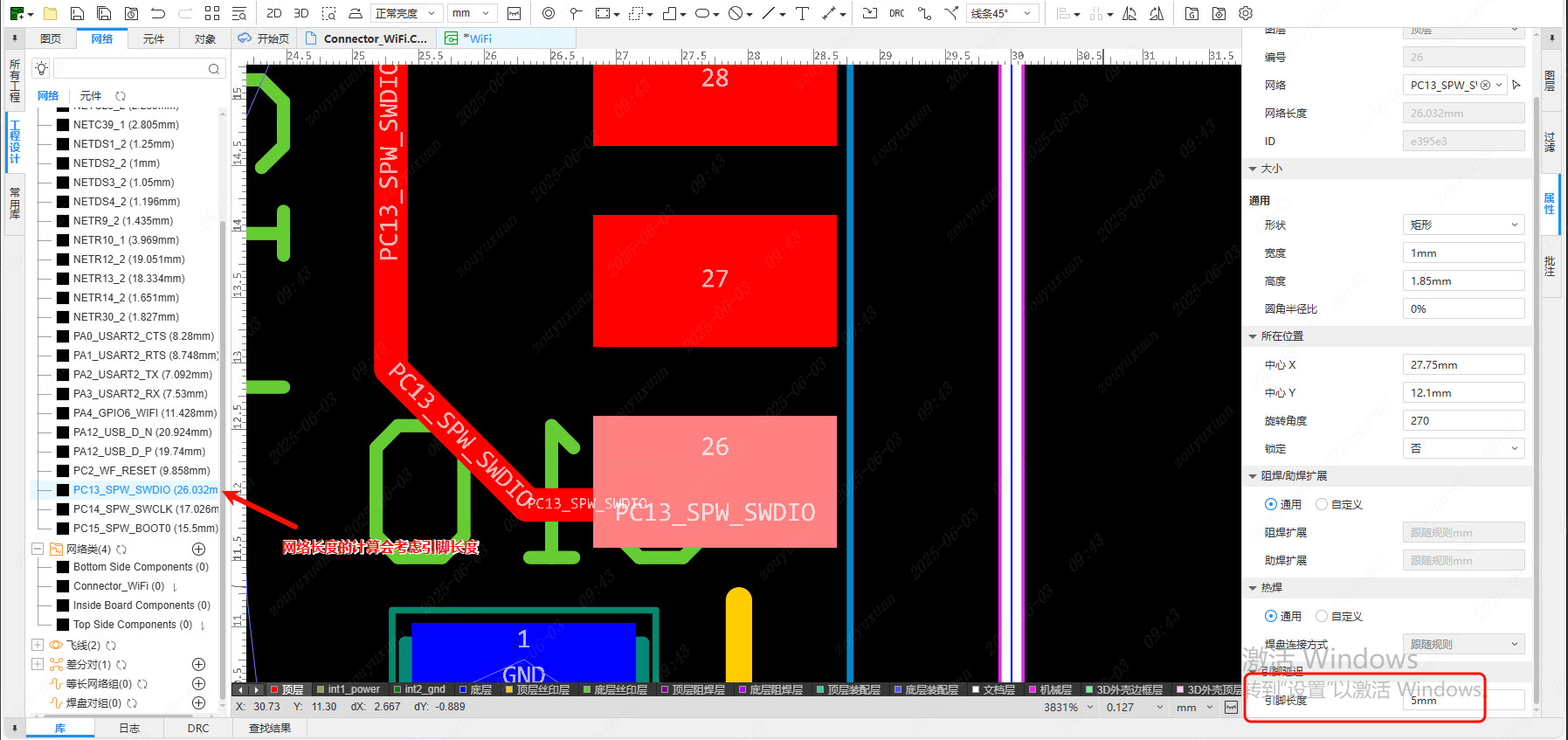
Pin Delay Manager
EasyEDA Pro supports setting the footprint length of pads, and the Pin Delay Manager manages the pad pin lengths of components in a PCB in batches.
Pin length can be used in Signal Time Equal Length calculations, and after importing pin delay data it can also take part in equal length rules in units of ps.
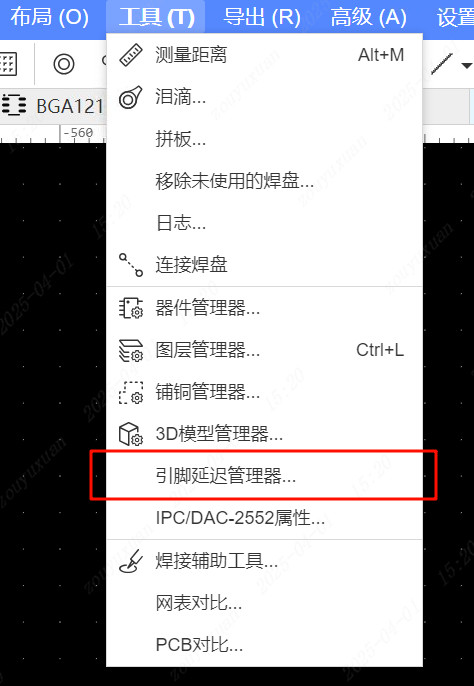
Entry:
- Top Menu - Tools - Pin Delay Manager
Usage
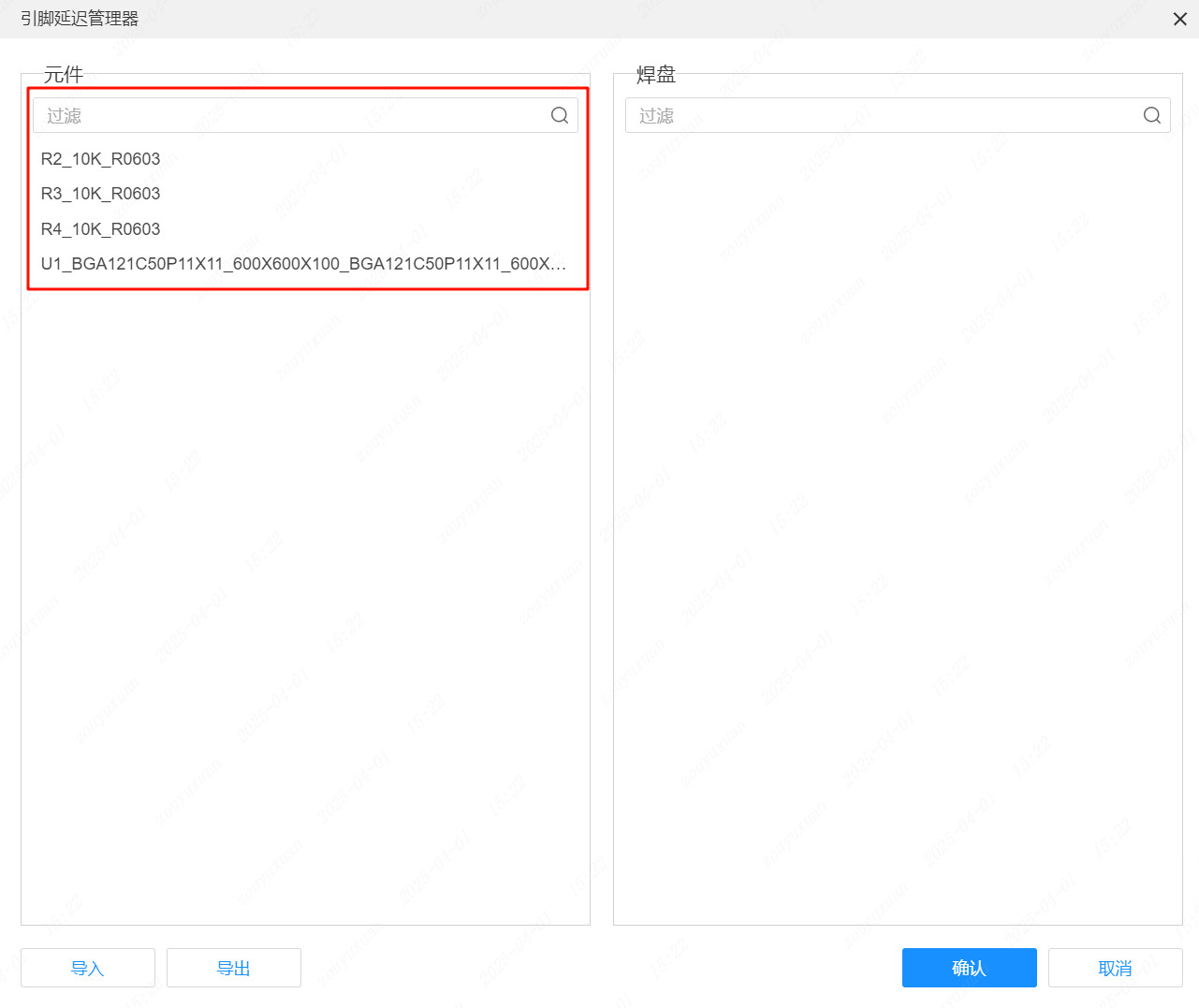
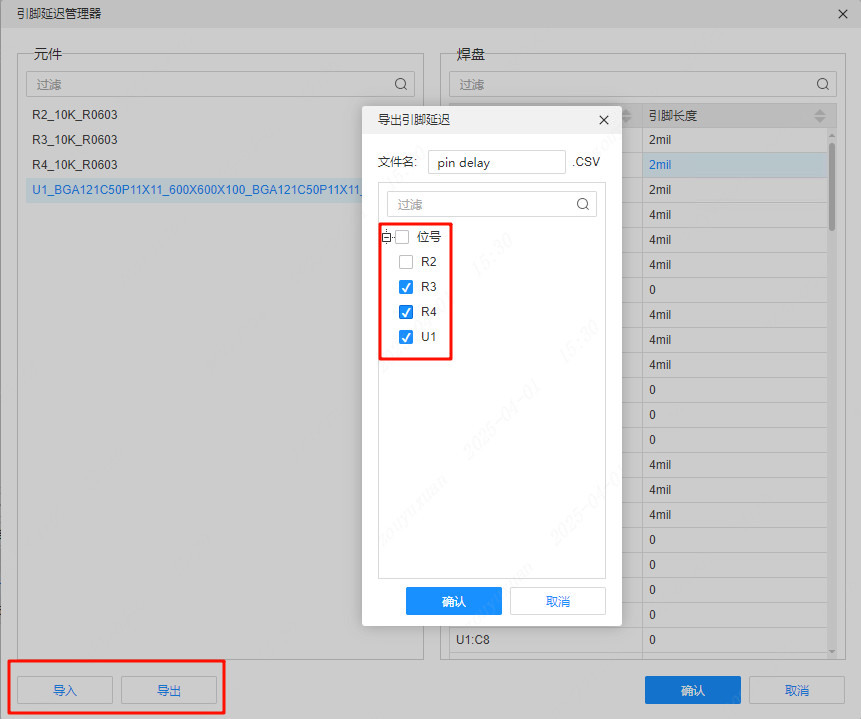
On the left side of the Pin Delay Manager, select the component that owns the pads you want to edit, and the filter function helps you locate the target component quickly.
After selecting the target component, view the pad pin lengths of that component in the table on the right. The table supports direct editing, copying and pasting.
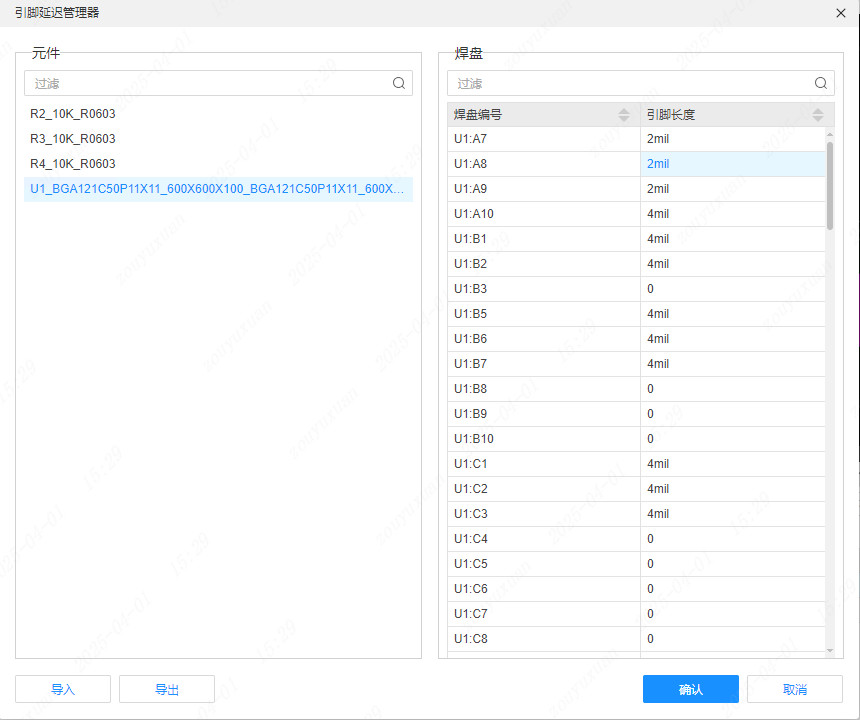
Pin length data supports import and export. Click the Export button in the lower left corner to open the export dialog, then select the required component designators to export the data.
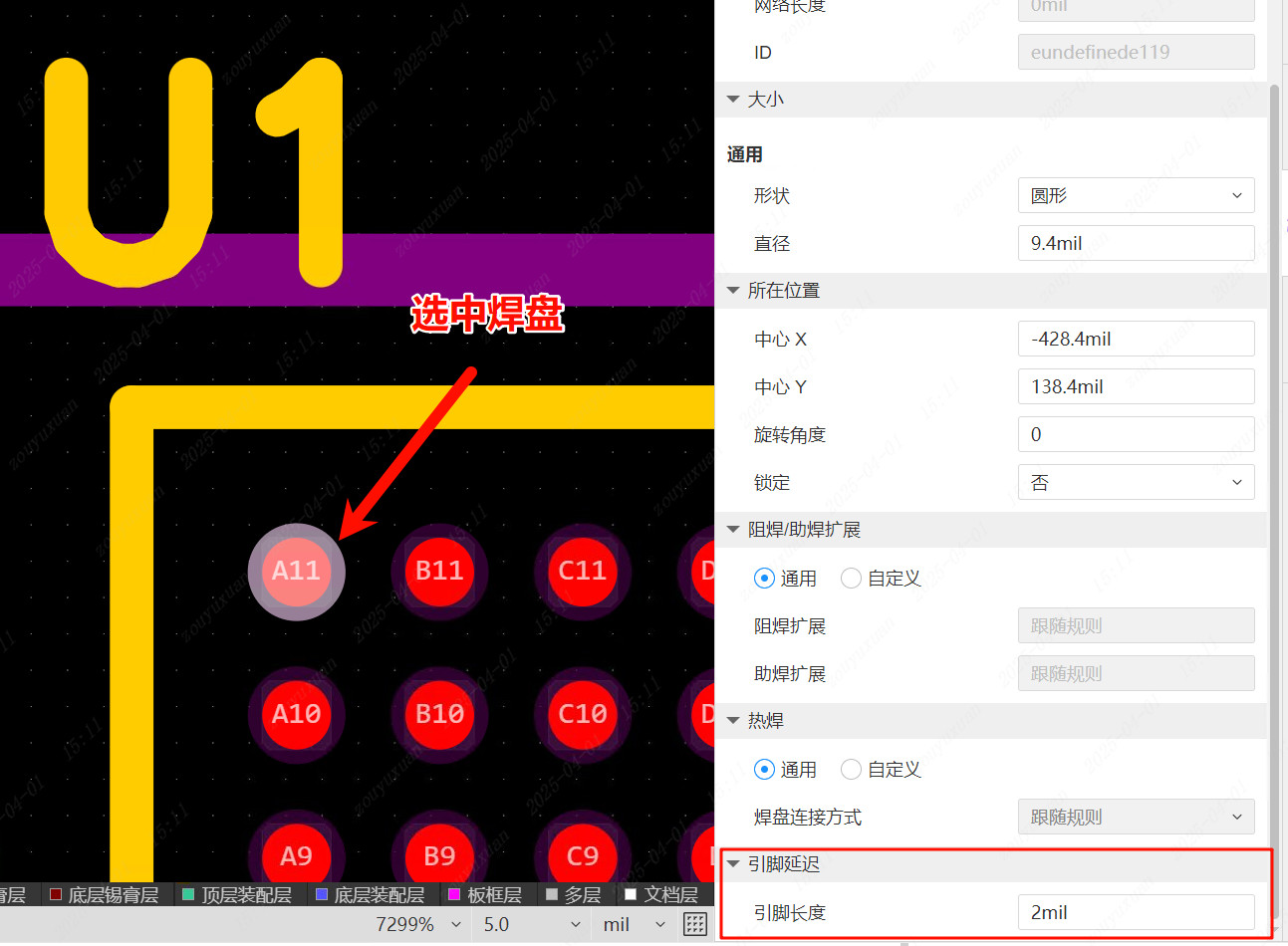
After editing, you can select a pad object in the PCB interface and view the updated pin property information in the right property panel; the pin length property can also be edited again there.
Net length calculation, equal length constraints, differential pair constraints, pad pair group ranges and deviation calculations all take pin length into account.