

Pad Layer Size
Multi-layer pads support setting the shape and size by layer, so the pad shape, width and height, and corner parameters can be defined for the top layer, inner layers and bottom layer separately.
Both the PCB and Footprint Editors support this.
Entry
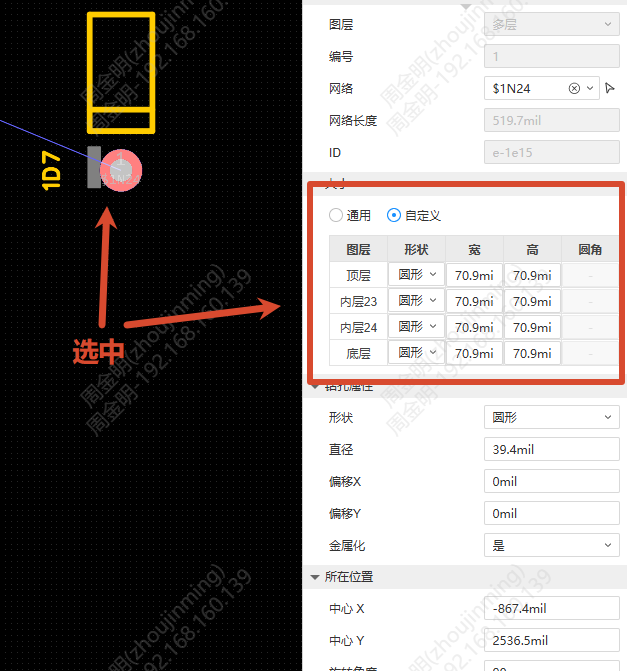
PCB or Footprint Editor - select a pad - Right property panel - Pad Size setting area
Steps
Select a pad and switch between General or Custom mode in the property panel
- General: All copper layers are set uniformly. The table displays "All", and modifications are synchronized to all copper layers
- Custom: Each layer is set independently. The table displays one row for each copper layer
Set the following for each layer in the table:
- Shape: Circle / Rectangle / Oblong
- Width / Height: Enter a positive number. For a circle, the width and height are always equal
- Corner: Available only for a rectangle. Enter an integer percentage from 0 to 100
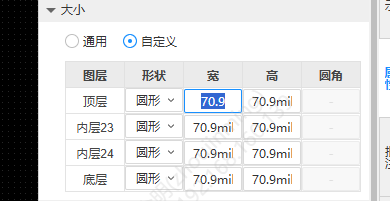
- After modification, the canvas previews in real time, and each layer is output according to its independent settings when exporting Gerber. When an inner layer is removed, the corresponding row is displayed with a strikethrough and cannot be edited. When an inner layer is added, the pad shape takes the shape of the top layer.