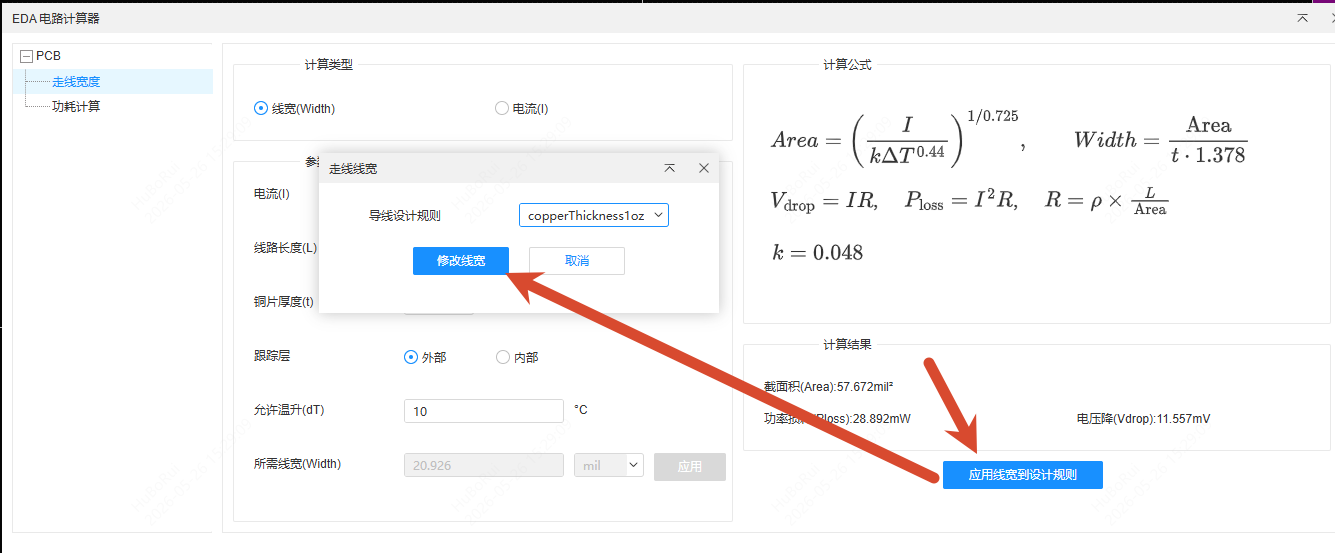
PCB Circuit Calculator
Calculate circuit parameters such as trace width, power dissipation and coil inductance during PCB design; the calculation results can be applied directly to primitives.
For the schematic resonance, filter, voltage divider, op-amp and other calculators, see Schematic Circuit Calculator.
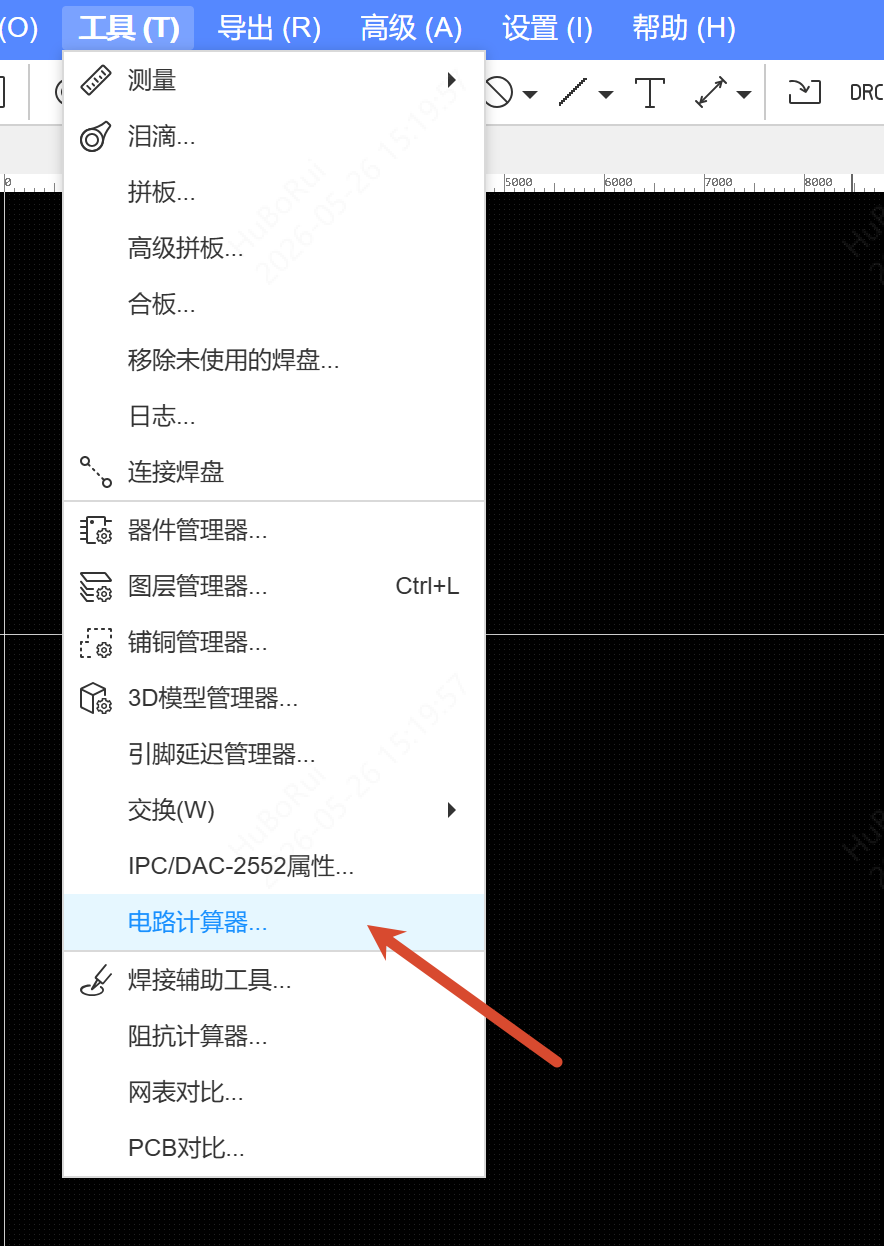
Entry
PCB Top Menu - Tools - Circuit Calculator
Steps
- Open the Circuit Calculator; the list on the left lets you choose a calculation.
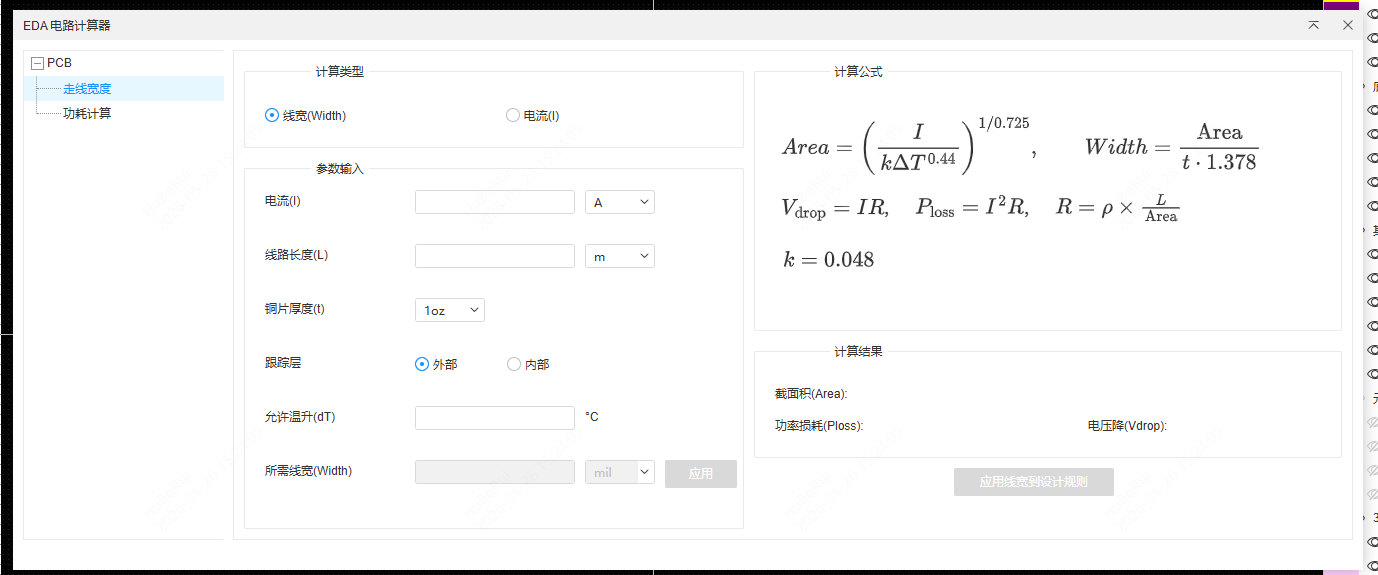
- Select a calculation type and enter the parameters; the result is displayed in real time:
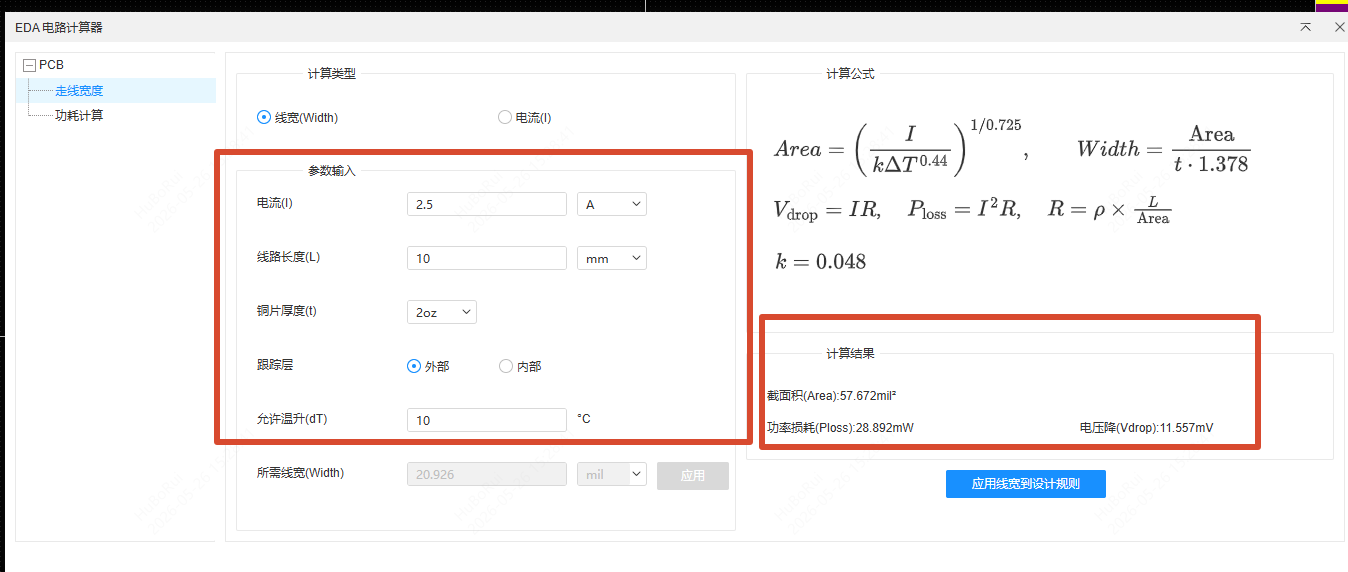
- Trace Width: enter the current, temperature rise, copper weight and layer type (external/internal) to calculate the required trace width; you can also switch to current mode and enter the trace width to derive the maximum current it can carry. The cross-sectional area, voltage drop and power loss are also shown at the bottom.
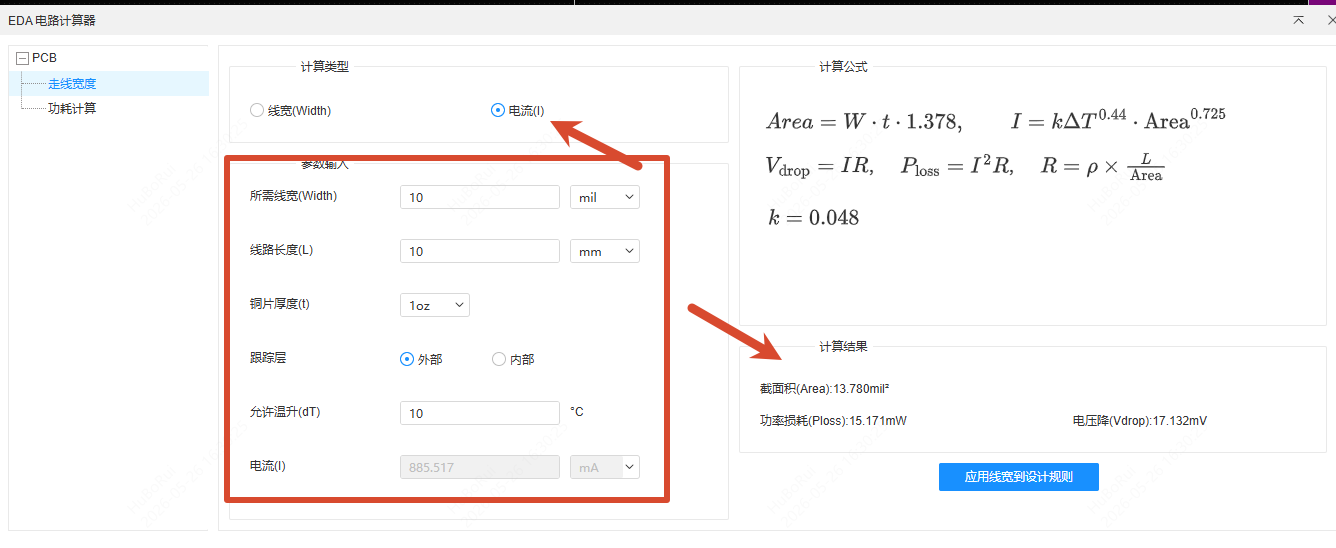
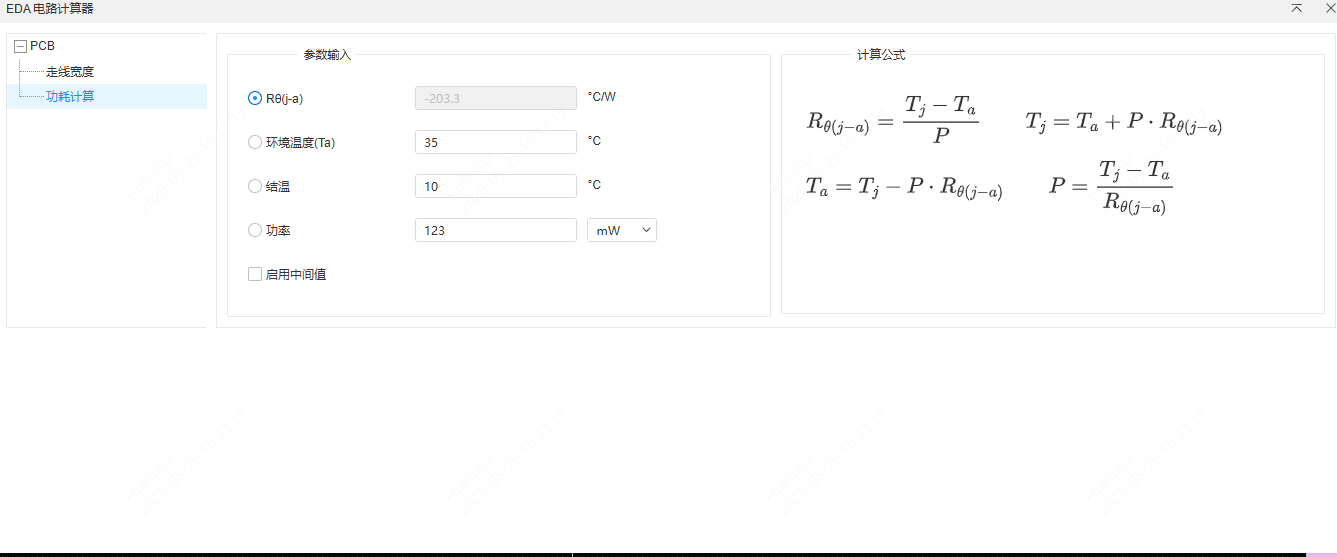
- Power Dissipation: enter any three of power, thermal resistance, ambient temperature and junction temperature, and the fourth is calculated automatically. After checking "Enable intermediate values", the thermal resistance can be split into junction-to-case, case-to-heatsink and heatsink-to-ambient, with the case temperature and heatsink temperature shown at the same time.
- Trace width calculation can be applied to tracks: click Apply trace width to design rules, then select the target track and its width is updated automatically to the calculated result. Right-click to exit apply mode.